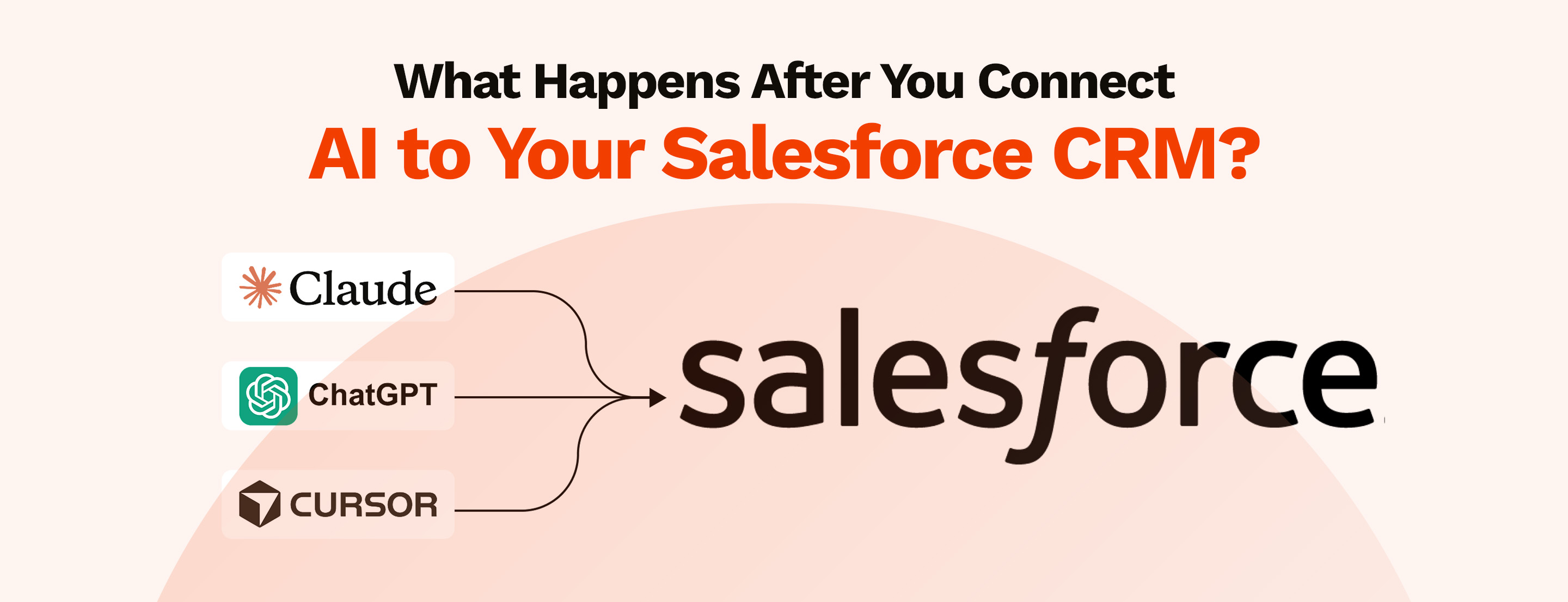


Your team just connected an AI assistant to Salesforce. The integration is live. Now what?
Most people expect the AI to start doing things automatically: pulling records, updating fields, sending emails. The reality is more specific than that. What the AI can do depends entirely on how it was set up, what permissions it has, and what your Salesforce data actually looks like.
Whether you are connecting Salesforce with ChatGPT, Claude, or any other external AI, what it can do depends entirely on how it was set up. We have decoded everything you must know before you connect Salesforce to AI.
Connecting AI to Salesforce means giving an external AI assistant a secure, structured way to talk to your Salesforce data. In this case, AI lives outside Salesforce and your data lives inside it. The connection defines what the AI can ask for, what Salesforce will return, and who is allowed to do what.
It is not a switch you flip. It is a channel you build with proper permissions, access controls, and boundaries defined before anything goes live.
One thing worth clearing up. Most people call copying a record from Salesforce and pasting it into ChatGPT a connection, which is not true. It is apparently a workaround with no security and no visibility.
A real external AI connection is different from both. And how carefully you set it up determines almost everything about how well it works.
One of the first assumptions people make when they connect AI to Salesforce is that the AI can now see everything. It cannot.
What the AI can access is determined by the connected user's profile, permission sets, field-level security, and sharing rules, the same controls that govern any other Salesforce user.
If a field is restricted, the AI cannot read it. If a record is outside the user's sharing access, the AI cannot retrieve it. The connection does not create a backdoor. It inherits the permissions that already exist.
In practice, when you connect Salesforce to AI, it can typically access:
What it cannot access by default:
There is a configuration decision most teams do not think about early enough: whether the AI connects as a single shared service account or as individual users.
A shared service account means the AI sees whatever that account can see, regardless of who is asking. Individual user-level connections mean the AI's access reflects exactly what each person is allowed to see in Salesforce.
The second approach is more secure, more auditable, and significantly more complex to set up.
This is where most early implementations take shortcuts that create problems later.
Most people imagine the AI reads all of Salesforce and waits for a question. That is not how it works.
When a user submits a request, the AI identifies what Salesforce data it needs, queries only that data in that moment, and returns a response, all within the boundaries of whatever access it has been given. It does not hold a copy of your CRM. It fetches what it needs, when it needs it.
Here is what that looks like in sequence:
Two things matter here:
That is a configuration decision, not a platform guarantee.
This is the part most vendors do not tell you.
Connecting AI to Salesforce does not clean your data. It does not fix incomplete records, remove duplicates, or fill in the fields your sales team has been skipping for two years. If your Salesforce data is unreliable before the connection, the AI will return unreliable answers after it.
It also does not change user behaviour. If your team does not log calls, update opportunity stages, or maintain contact records consistently, the AI will reflect exactly that.
A few other things that stay exactly the same:
The AI connection is a layer on top of what already exists. If the foundation is solid, it adds value quickly. If it is not, it makes the problems more visible and harder to ignore.
Most implementation conversations skip this section. It is the one that matters most to the people responsible for security and compliance.
The most common risk is over-poermissioning the connected account. Teams often connect a service account with broad access because it is faster than scoping permissions carefully. That account can then see far more than any individual user would normally be allowed to see.
Prompt injection happens when malicious instructions are embedded inside the data the AI reads. A contact record, a case description, or an email thread could contain text designed to manipulate the AI's behaviour. The OWASP Top 10 for Large Language Model applications lists this as one of the primary risks in any AI integration. It is not theoretical.
If every AI query is not being logged with the requesting user's identity, you have a gap in your audit trail. For organisations in regulated industries, that gap is not acceptable.
When the AI generates a response, it processes Salesforce data outside the platform. Where that data goes, how long it is retained, and whether it is used to train the underlying model are questions that need answers before the connection goes live.
Fields containing personal data, financial information, or legally privileged content need to be explicitly excluded or masked before the AI can access them. This is not automatic.
None of these risks make a Salesforce AI connection a bad idea. They make a poorly planned one a liability.
The honest answer is: quite a lot, but not all at once and not without the right data behind it. The value shows up differently depending on the role. Here is where it tends to be most immediate.
Before the connection, preparing for a customer call means navigating across accounts, opportunities, activity history, and open cases. With a connected AI, that same preparation becomes a single request.
With a connected AI, that same preparation becomes a single request. "Give me a summary of everything that has happened with this account in the last 90 days" returns a consolidated view in seconds.
What changes is not the data, it was always there. What changes is how quickly a rep can get to it and act on it.
For service teams, the biggest gain is context at the start of a case. An agent handling a new ticket can ask the AI to pull the customer's full history: previous cases, products owned, recent interactions, outstanding issues, without switching between multiple screens or asking a colleague.
The AI does not resolve the case. It removes the time spent getting up to speed before the real work begins.
Instead of waiting for a weekly report, an ops lead can query the pipeline directly. "Which opportunities over $50,000 have had no activity in the last 30 days?" becomes a conversation, not a dashboard request.
The caveat is significant: the answer is only as reliable as the data in Salesforce. For some teams, that visibility is uncomfortable. For the organisation, it is valuable.
The AI does not make judgement calls. It does not decide which deal to prioritise, which customer to escalate, or which action to take next. It surfaces information.
The decision still belongs to the person asking the question. Teams that expect the AI to replace that judgement will be disappointed. Teams that use it to make better-informed decisions faster will see the value quickly.
Most organisations get the initial connection working and then move to expand access across more users, more teams, and more data. That is the right direction. But the sequence matters.
Before expanding, there are a few things worth getting right.
Run a permission audit on the account or user profile the AI is connecting through. Map out every object, every field, and every record type it can access. Compare that against what the teams using the AI actually need. The gap between those two lists is your risk surface. Reduce it before you scale.
Sandbox testing is essential, but it has limits. Demo data is clean, complete, and consistent in ways that production data rarely is. Before expanding access to a wider user group, test the connection against real production records, with appropriate access controls in place. You will find data quality issues, permission gaps, and edge cases that the sandbox never surfaced.
This sounds obvious. Most teams skip it. Before more users get access, document clearly:
Without this in writing, every team will have a different understanding of what the AI is allowed to do. That creates inconsistency at best and a compliance problem at worst.
If the integration supports write-back, do not enable it for all users from day one. Start with read-only access. Let teams build familiarity with how the AI retrieves and presents data. Once there is confidence in the accuracy of responses and the integrity of the permission model, introduce write access incrementally, one use case at a time, with human approval steps built in where the stakes are high.
A connected AI is not a set-and-forget integration. If something changes in your org structure, your sharing rules, or your data model, the AI's behaviour may change with it. Someone needs to own that ongoing review. If no one does, the gaps compound quietly.
Getting this right before expanding is what separates a genuinely useful AI connection from one that creates more problems than it solves.
Connecting AI to Salesforce changes the interface, not the fundamentals. The data, the permissions, the governance, all of it still matters, possibly more than it did before, because the AI makes everything easier to access and harder to ignore.
The organisations that get real value from this are not the ones that moved fastest. They are the ones that understood what they were connecting before they connected it.
If your team is evaluating the connection, scoping access, or trying to understand what a production-ready setup actually looks like — MIDCAI builds Salesforce AI integrations that are secure, properly scoped, and built to last beyond the demo.
Talk to a MIDCAI Salesforce AI specialist and get started with AI in your Salesforce.

5+ years of experience in content strategy, marketing, and technical communication. At MIDCAI, I focus on turning ideas around Salesforce, data, and AI into clear, actionable insights that help enterprises attract the right audience and drive real adoption.
Get in touch with us for any enquiries and questions
Define your goals and identify areas where technology can add value to your business
We are looking for passionate people to join us on our mission.
where your skills fuel innovation and your growth powers ours