


If you've been building Campaign Agents for a while, chances are you know the Legacy Builder, the point-and-click configuration tool that's been the default way to set up outbound campaign automation. It works, but "works" is doing a lot of heavy lifting in that sentence. Anyone who has tried to build a moderately complex Campaign Agent in the Legacy Builder knows the frustration: limited branching logic, brittle configurations, and a UI that makes even small changes feel like defusing a bomb.
Enter Agent Script, a modern, structured scripting approach that gives you full control over a Campaign Agent's logic, flow, and behavior. The result isn't just a Campaign Agent that's easier to build; it's a Campaign Agent that performs better, adapts more intelligently, and is far easier to maintain over time.
This blog walks through what a Campaign Agent is, why the Agent Script approach fundamentally changes what it's capable of, and exactly how to build one. If you've only ever used the Legacy Builder, consider this your upgrade path.
A Campaign Agent is an automated agent assigned to drive a specific outbound campaign, a sales push, a renewal reminder, a compliance notification, a satisfaction survey. It handles the outreach at scale, executing a defined interaction flow across a contact list without requiring a human agent to be involved at every touchpoint.
The way you define that interaction flow is where the Legacy Builder and Agent Script diverge and where the difference in outcomes becomes significant.
The Legacy Builder is a form-driven configuration interface. You select options from dropdowns, fill in static text fields, and wire together a limited set of pre-defined steps. For simple campaigns, a single-message notification with a callback option it's adequate.
But the moment a campaign requires:
● Conditional branching based on customer responses
● Dynamic data insertion from a CRM or external system
● Multi-turn dialogue with different paths for different outcomes
● Reusable logic across multiple campaigns
The Legacy Builder starts to show its age. Logic has to be duplicated rather than shared. Changes require touching multiple configuration screens. Testing is difficult because there's no way to trace the full flow end to end. And when something breaks in production, diagnosing it means piecing together behavior from disconnected settings panels.
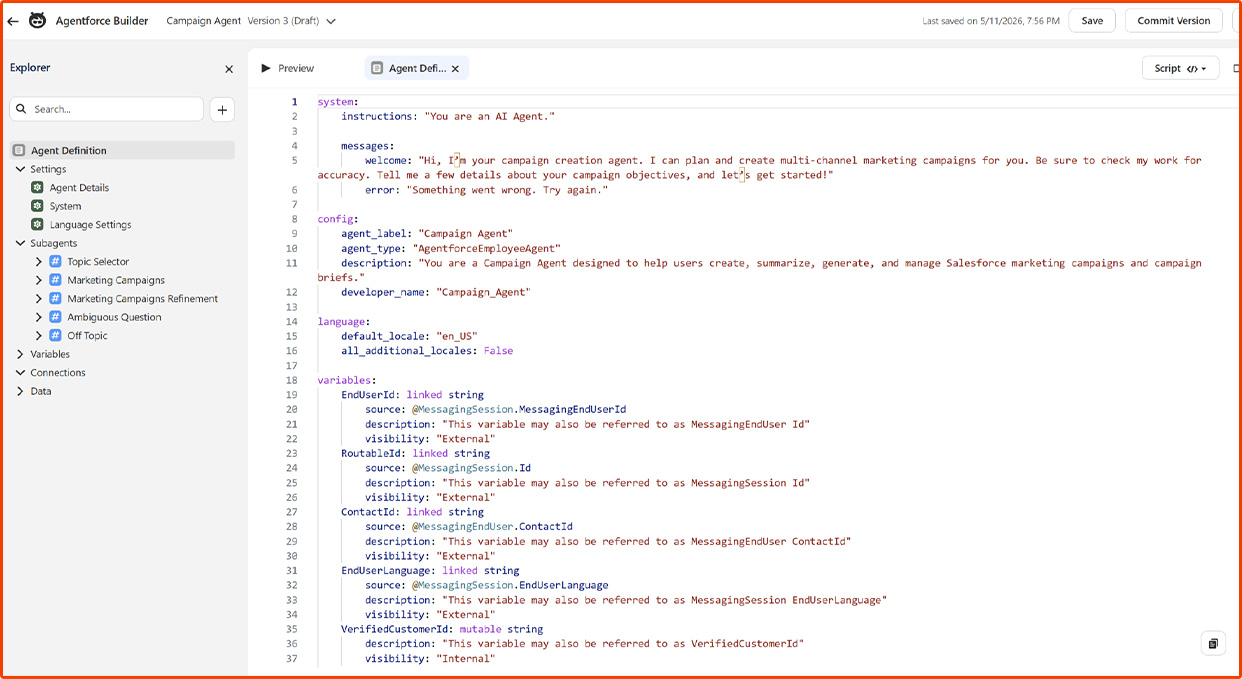
An Agent Script is a purpose-built scripting framework that defines a Campaign Agent's entire interaction flow in a structured, readable, and reusable format. Instead of clicking through a form, you design the script as a connected set of nodes, each representing a distinct moment in the interaction with explicit transitions, conditions, and actions wiring them together.
The advantages compound quickly:
● Full conditional logic — Scripts support complex branching based on any input, variable, or system response, not just the options the Legacy Builder exposes
● Dynamic personalization — Variables like {{customer_name}} or {{days_overdue}} are first-class citizens, populated at runtime from your contact data or CRM
● Reusability — A script built once can power multiple Campaign Agents across different campaigns; update the script and every agent using it benefits
● Version control — Scripts are versioned, so you can roll back to a known-good state without reconstructing an entire Legacy Builder configuration from memory
● Testability — The script's flow can be traced, simulated, and validated before a single live contact is made
● Maintainability — A script is a single coherent artifact; a Legacy Builder configuration is a pile of interdependent settings spread across multiple screens
When you build a Campaign Agent using Agent Script, you're not just getting the same result with a different tool. You're building a more capable, more resilient agent that you can actually reason about, improve, and trust at scale.
Prerequisites
Before creating the Campaign Agent, ensure the following prerequisites are completed:
The user creating the agent should have the following permissions assigned either through a Profile or Permission Set.
Step-by-Step: Creating a Campaign Agent from an Agent Script
Step 1: Navigate to Agentforce Studio
1. Log in to your Salesforce org and click the App Launcher.
2. Search for Agentforce Studio and open Agentforce Studio.
3. In Agentforce Studio, Click New Agent.


Step 2: Select Agent Type
1. Select Agent Type “Campaign Creation”.

Step 3: Configure Agent Details
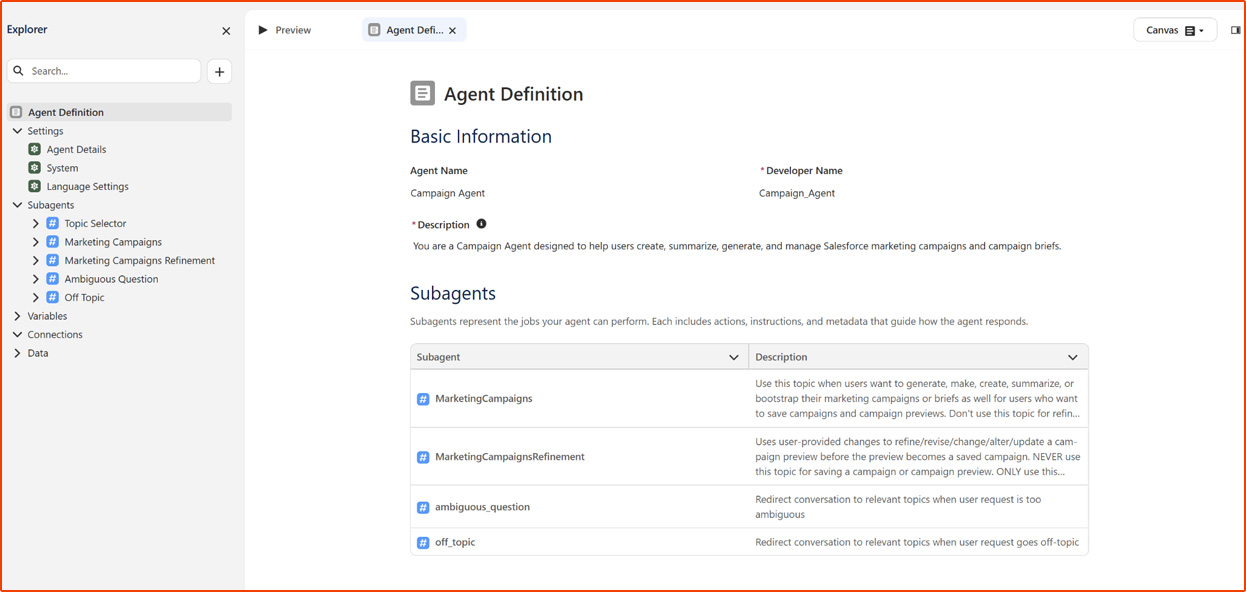
1. Provide the basic information for the Campaign Agent.
Step 4: Subagents
Configure the Subagent that the Agent will use.
1. Click Add Subagent
2. Add Subagent Instructions.
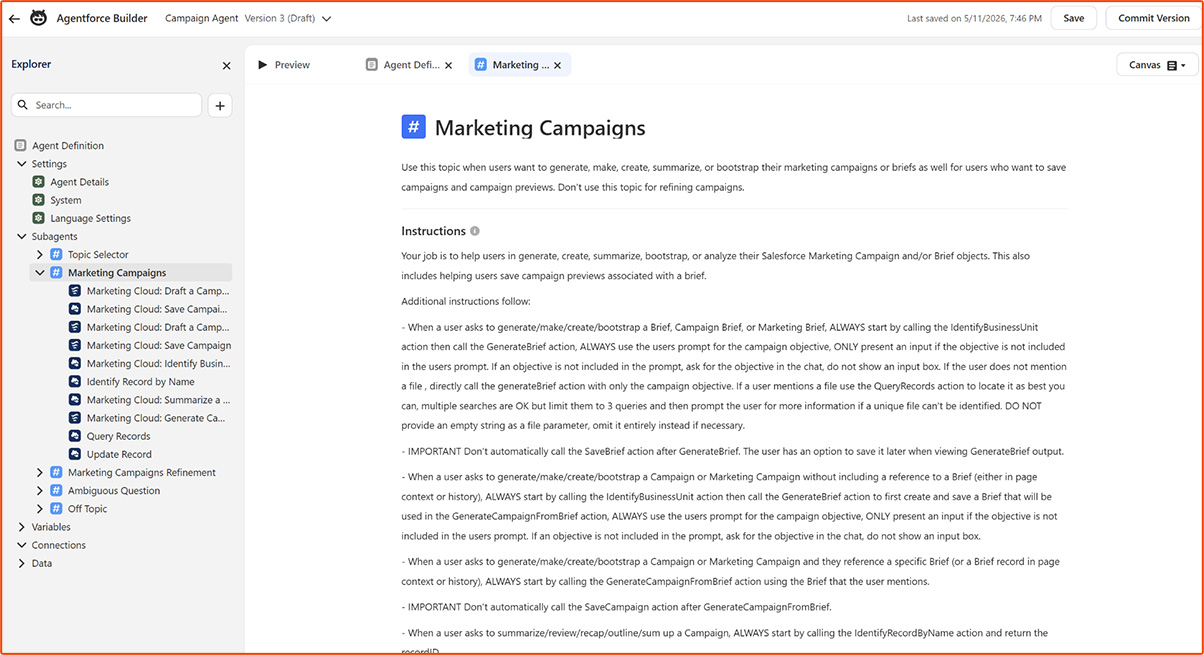

Step 5: Actions
Step 6: Save and Validate
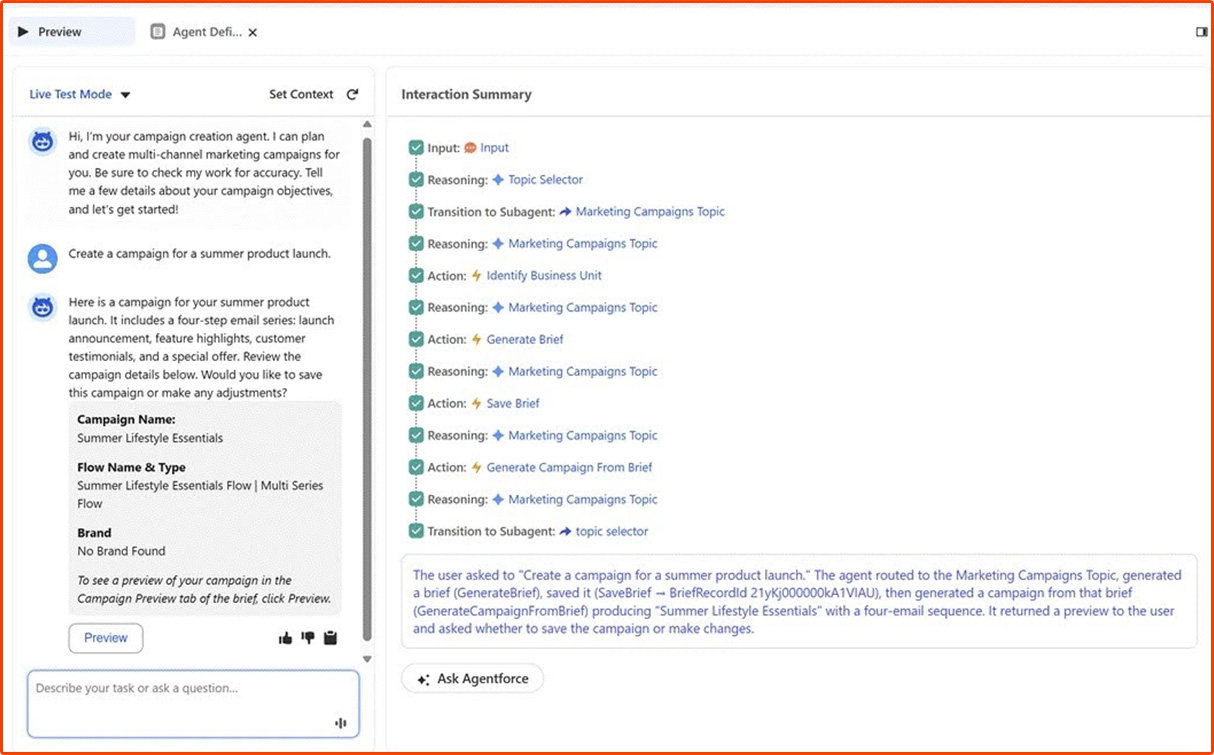
1. After adding Subagents and related Actions, save the Agent.
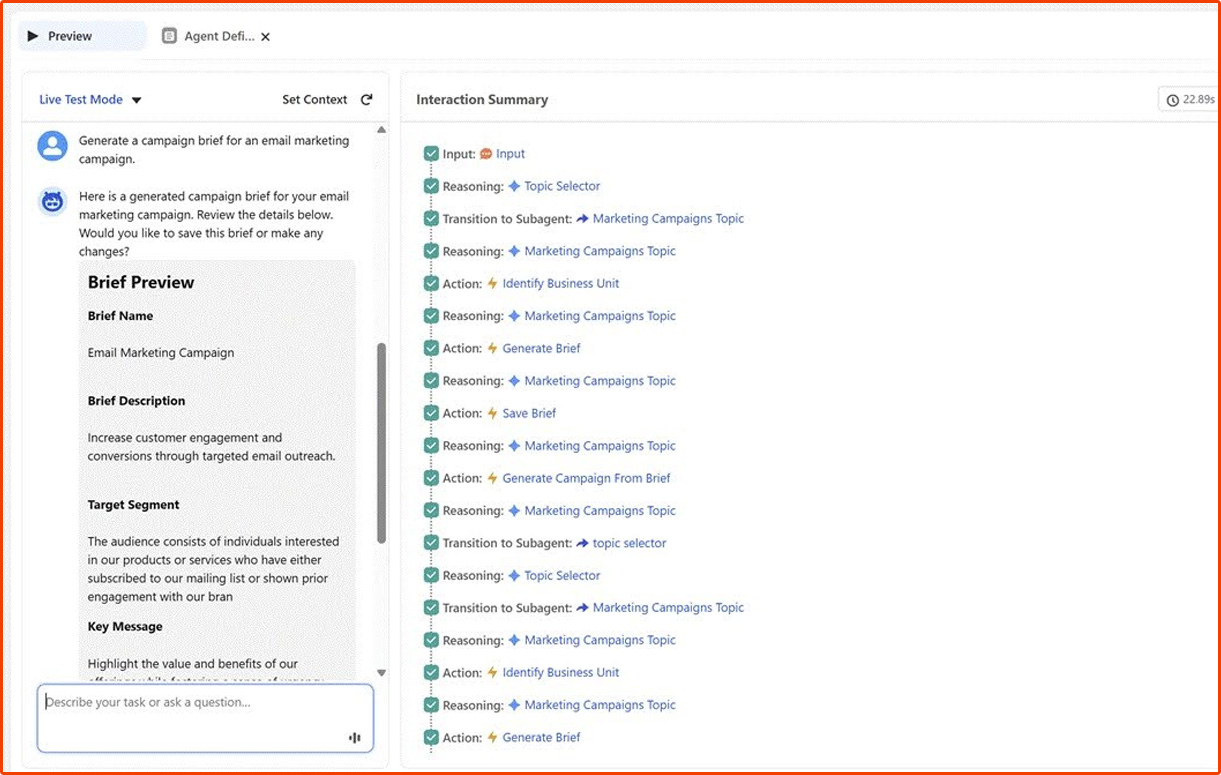
2. Test the Agent in Preview.
3. Try Sample Prompt such as:
a. Create a campaign for a summer product launch.
b. Generate a campaign brief for an email marketing campaign.
c. Create a Campaign from this brief

Step 7: Publish the Agent
After testing:
1. Click Publish
2. Activate the Agent.
Creating a Campaign Agent using Agent Scripts in Agentforce Studio helps organizations automate campaign workflows and improve marketing efficiency within Salesforce. With well-structured prompts, actions, and subagent instructions, businesses can build smarter and more scalable campaign operations.
If you are planning to get started with Agentforce, MIDCAI, a certified Agentforce Partner, can help you design and implement the right AI-driven solution for your business.

As a Salesforce Consultant, I build AI-driven solutions and automation experiences that make technology feel simpler, smarter, and more human. Passionate about continuous learning, I enjoy turning complex ideas into systems that create real impact for users and businesses.
Get in touch with us for any enquiries and questions
Define your goals and identify areas where technology can add value to your business
We are looking for passionate people to join us on our mission.
where your skills fuel innovation and your growth powers ours